PhraseCrate / Chrome text expander
Text expander for Chrome.
Your frequent snippets first.
A text expander for Chrome that keeps your saved replies and text snippets ready to reuse. Insert your wording with a shortcut, or find it in the launcher.
15 phrases free · No account required · For desktop Chrome
01 / Context Rank
Your frequent phrases,
for each site.
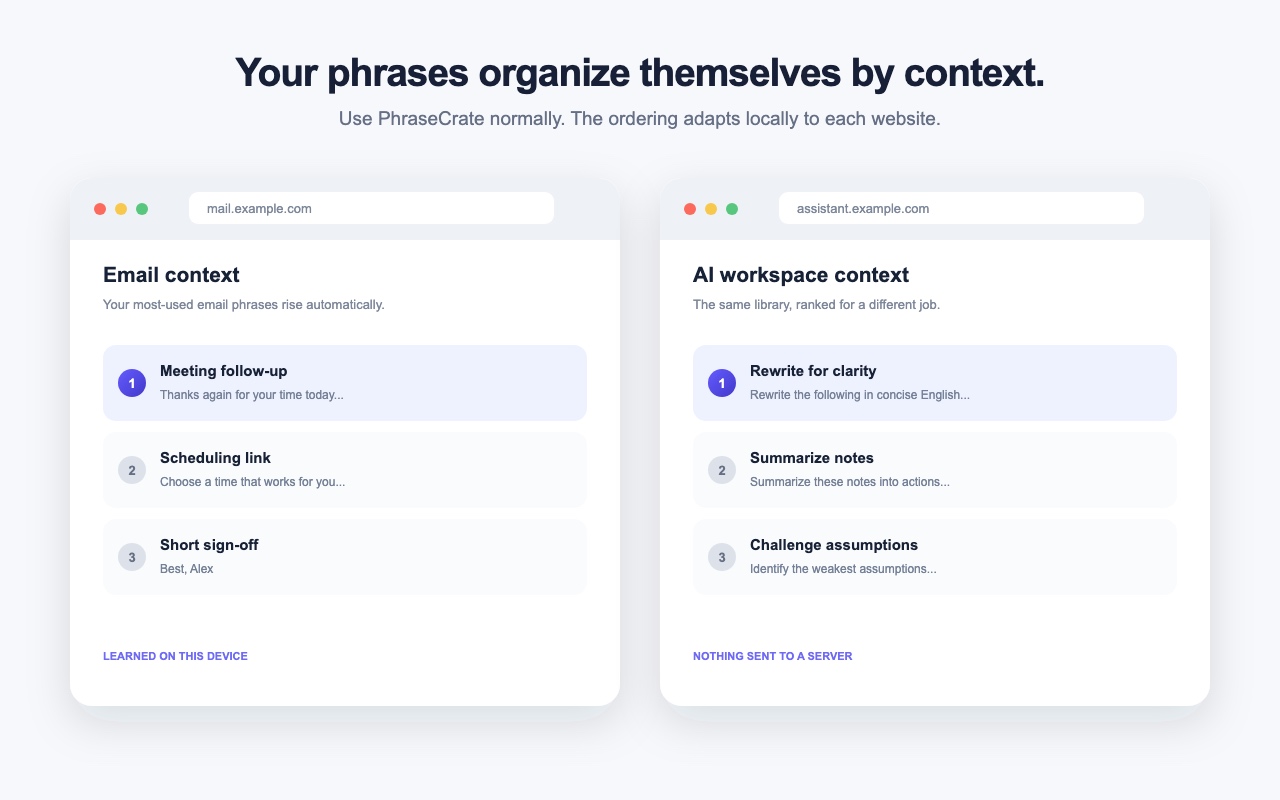
Open the launcher before typing a search, and phrases you use often on the current site appear near the top. The same library can have a different order on different sites.
PhraseCrate uses the website hostname, insertion counts, and last-used times stored in your browser. Once you type a search, it matches phrase names, shortcuts, and text. It does not use AI to generate your replies.
02 / How it works
Save a snippet.
Insert it when you need it.
Save your wording
Add text you want to reuse and give it a shortcut, such as
;follow.Use a shortcut or search
Type the shortcut and press Space or Enter. Or press Command/Ctrl + Shift + K to open the launcher and search.
Review, then insert
Add fields such as
{{name}}or{{company}}. Review the values and preview before inserting. Suggestions are not selected automatically.
PhraseCrate inserts the phrase you confirm. It never sends your message.
03 / Everyday work
Saved replies for
the work you repeat.
Follow-up replies
Keep a response you send often, then adapt it to the conversation.
Scheduling links
Reuse your booking link and the wording that goes with it.
Project handoffs
Save a scope confirmation, a request for materials, or a final delivery note.
Here are the final files and handoff notes for your review. Please check the deliverables against our agreed scope and let me know if anything is missing or needs clarification.
04 / Local storage
Your snippets stay
in your browser.
Your phrases, site usage history, and confirmed fill-field values are stored locally in your browser. Back up and restore your phrases with JSON. There is no cloud sync, shared team library, analytics, or tracking inside the extension.
Only values you confirm and insert are saved for future fill-field suggestions. You can forget learned suggestions individually.
Pro activation and license verification communicate with Polar. Phrase content, page content, and learning data are not sent to external APIs.
Read the privacy policy05 / Free and Pro
Start with 15 phrases
for free.
Free
$0
Create and use up to 15 phrases. No account required.
Pro
$19 one-time purchase
Remove the phrase limit. Includes a license for up to three devices. The device allowance does not include cloud sync.
Polar handles checkout and license verification.
06 / Questions
Before you start.
How is this different from a basic text snippet list?
Before you search, the launcher puts phrases you use often on the current website near the top. You can still search by name, shortcut, or phrase text.
Does PhraseCrate write replies with AI?
No. It inserts wording you save and confirm. It does not generate replies or send your messages.
Does it work in every website editor?
It works with standard text fields, text areas, and common content-editable fields. Some custom editors have limited support. Chrome internal pages and the Chrome Web Store do not allow insertion by extensions. Reload your intended page after installing the extension.
Can I sync my snippets across devices?
There is no cloud sync. You can export and import phrases with a JSON backup. Pro's three-device license does not sync your data.
Can I install it on my phone?
PhraseCrate is for desktop Chrome. A mobile-friendly website does not mean the extension runs in mobile Chrome.